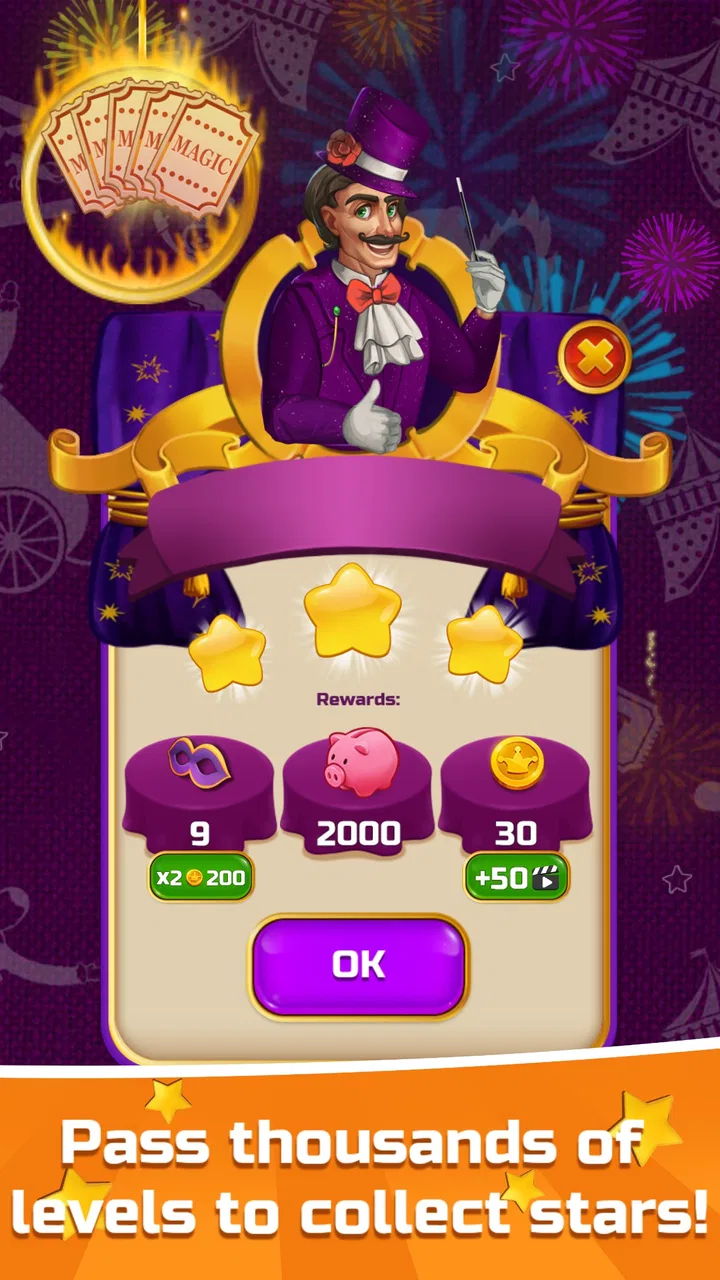
Circus Words: Magic Puzzle
- 4.6
- Rating
- 1.00M
- Installs
- Free
- Price

 Analysis by App-foxy
I approached Circus Words: Magic Puzzle expecting a light word game, and that is exactly where it fits best: short sessions built around spotting letters, making words, and gradually becoming more comfortable with the puzzle style. It is a free word game from Clever Apps Pte. Ltd. for Android and iOS, rated for Everyone, and its circus theme gives the otherwise familiar letter-connecting format a more playful identity.
My first impression was that it is easy to understand without being completely mindless. You are presented with letters and need to swipe across them to form words. The basic action takes only a moment to learn, so a first-time player can move from installation to a completed puzzle quickly. What keeps the experience going is the balance between obvious words and those smaller, less immediately visible answers that reward looking at the board from another angle.
The game is free to start, which makes it simple to try without committing money. Optional purchases range from $0.99 to $99.99 per item, so I would treat the paid options as something to consider only after deciding whether the core loop suits you. With a 4.6 average from around 15 thousand ratings and more than a million installs, it has clearly found a sizeable audience, but popularity alone does not make it right for every word-game player.
You May Also Like

 Blood Strike: 2.5 Anniversary
Blood Strike’s Loadouts Turn Every Drop Into a Tactical Gamble
A close look at Blood Strike’s custom loadouts: how fast access to signature weapons reshapes its battle royale rhythm, rewards preparation, and narrows the gap between fights.

 Pandora - Music & Podcasts
Pandora’s Music Is Easy to Start, but Harder to Recover
Pandora’s strength is its low-effort path from a seed to a station. Its weak spot is how much confidence it asks you to place in connection, setup, and quiet recovery.

 8 Ball Pool
 Is Built on Rivalries, Rematches, and Routine
A close look at the rivalries, rematches, shared routines, and unanswered safety questions that turn a quick pool match into a persistent mobile community.

 Samsung Music
’s Quiet Strength Is Playing What You Already Own
Its reach comes less from spectacle than from dependable access to a personal library. That simplicity is both the app’s strongest retention engine and its ceiling.

 AccuWeather: Weather Radar
AccuWeather Review: A Quick, Clear Forecast for Everyday Decisions
For everyday plans, the best forecast is the one you can understand quickly. AccuWeather makes rain timing, radar, and local conditions easy to act on, with a few trade-offs.

 Hill Climb Racing
Why Hill Climb Racing Still Turns Crashes Into One More Run
A tiny car, a bumpy hill and one more upgrade: Hill Climb Racing keeps resurfacing because its simple chaos makes every near-miss feel personal.
More From Our News Desk



Getting comfortable with the first puzzles
I focus here on making the early puzzles feel approachable, while pointing out the habits that help me move from a lucky guess to a repeatable way of solving. Once the basic swipe feels natural, the next useful step is learning how to handle moments when a plausible word does not fit.
What the opening experience feels like
The most reassuring part of the opening is the lack of a steep learning curve. I did not need a tutorial packed with instructions to understand the central gesture. The letters invite experimentation: start on one character, drag through neighboring characters, and see whether the resulting word is accepted. That direct interaction is more satisfying than tapping letters one by one because the swipe itself becomes part of the puzzle.
For a first session, I recommend resisting the urge to search for the longest possible word immediately. Begin with the clearest combinations. This helps you understand how the board behaves and gives you a quick successful action before the puzzles become more demanding. Once you have removed a few obvious answers, the remaining letters become easier to read because there is less visual clutter competing for attention.
The circus presentation also matters more than I expected. It gives the game a cheerful tone, but the theme does not replace the wordplay. The main reason to continue is still the small satisfaction of finding an answer that was sitting in front of me all along. Players who enjoy calm, focused puzzles will probably appreciate that rhythm more than people looking for a fast arcade challenge.
A practical route from installation to the first win
After installing the game, I would start with the sound and visual atmosphere at a comfortable level, then play the first puzzle without worrying about speed. The useful goal is not simply to finish; it is to learn how the game expects a swipe to travel across the available letters. If a word does not register, try tracing it again more deliberately rather than assuming the answer is wrong.
My first meaningful success came from treating the board like a small search space instead of a test of vocabulary alone. I scanned horizontally, vertically, and diagonally where the layout allowed it, then checked short familiar words before attempting more unusual ones. This approach is especially helpful on a phone, where a quick glance can miss a letter tucked near the edge of the puzzle.
One tip that makes a real difference is to pause after every accepted word. The board may look similar, but the remaining possibilities are not the same. Rechecking the letters after each success prevents me from repeatedly trying the same failed paths. It also turns the game into a process of elimination, which is more reliable than swiping randomly until something works.
Why the simple gesture can still become challenging
Word games often look easy in screenshots because the individual action is familiar. The challenge appears when several plausible words share letters or when the obvious answer is not the one that helps reveal the rest of the board. I found that the difficulty comes less from complicated controls and more from changing perspective.
A useful habit is to separate recognition from movement. First, look at the letters and mentally test possible words. Then perform the swipe once you have a likely route. This reduces accidental gestures and makes it easier to understand whether a mistake came from vocabulary, direction, or finger placement. On a smaller screen, that distinction is important because a missed letter can feel like a wrong answer.
Another worthwhile technique is to read the letters aloud silently in different orders. I do not mean forcing every possible combination; I mean breaking the first visual impression. A board that initially suggests one familiar word may reveal another when I stop treating the letters as a fixed row. This is one of the game’s quiet strengths: it encourages flexible attention without requiring complicated rules.
Common points of confusion for new players
The first confusion is usually assuming that every visible word should be attempted immediately. In practice, a word that looks valid may not be the answer the current puzzle is seeking. When that happens, I avoid interpreting the rejection as a failure of the whole puzzle. I simply move on, clear an answer I trust, and return to the doubtful combination after the board has changed.
The second issue is swiping too quickly. A fast finger movement can pass over a character or finish slightly away from the intended letter. Slowing down is not just a workaround; it makes the game feel more deliberate and gives me better feedback about the path I am choosing. If you are playing during a commute or while distracted, this is likely to happen more often.
It is also easy to believe that being stuck means you need a hint or a purchase straight away. I would wait. Look for common prefixes, endings, and short connecting words first, then rotate your attention toward unused letters. A short break can be more useful than spending a resource because returning with fresh eyes often exposes a word that was invisible a moment earlier.
That said, players who dislike any uncertainty in a puzzle may find this style irritating. The game asks you to tolerate a little trial and error. If you prefer word challenges with a clearly defined clue for every answer, a traditional crossword or clue-based word app may be a better match. This one is more about visual discovery and the satisfaction of making the connection yourself.
How I would use it in everyday life
I see the game working particularly well in short gaps: waiting for an appointment, taking a quiet break, or winding down before sleep. A realistic session might be opening it for a few minutes, solving one puzzle, and stopping before the activity starts to feel repetitive. Because the basic interaction is quick to resume, it does not demand the same uninterrupted attention as a long story-driven game.
It can also suit families with different ages, helped by the Everyone rating and the straightforward controls. I would still choose puzzles together rather than assuming every player will enjoy the same level of challenge. A younger player may focus on finding familiar words, while an adult can demonstrate how to scan the board systematically without simply giving away the answer.
For language learners, the game may provide useful exposure to familiar English words, but I would not treat it as a complete vocabulary course. Discovering a word in context is valuable, yet the game’s purpose is solving its puzzles rather than explaining definitions, pronunciation, or grammar. Someone studying a language seriously should pair it with a tool designed for those specific needs.
Where it differs from familiar alternatives
Compared with a crossword, this game removes the need to interpret written clues before beginning. That makes the entry point gentler, especially when I want a puzzle that starts immediately. The trade-off is that there is less explanatory context around each answer. I am recognizing patterns in letters rather than solving a clue that points toward a particular meaning.
Compared with a standard word search, the swipe-based format feels more active. I am not merely circling words in a large grid; I am connecting letters in a compact arrangement and using each discovery to rethink what remains. The experience is therefore more focused, though players who enjoy huge boards filled with hidden terms may find it less expansive.
Compared with competitive spelling games, the appeal here is its calmer pace. I do not approach each puzzle as a contest against another player or a test of rapid typing. That makes it a better choice for relaxed solo play, but not necessarily for someone who needs leaderboards, head-to-head pressure, or a strong social layer to stay interested.
Handling progress, difficulty, and optional spending
The current version is 1.499.5, and the game has been available since June 15, 2017. Those details suggest a long-running title rather than a brand-new experiment, which is useful context when deciding whether to make it a regular part of your puzzle rotation. I would still judge it by how the individual puzzles feel to me, because longevity does not automatically prevent repetition.
The free entry point is one of its strongest practical advantages. I can test the controls, the word style, and the overall mood before considering any optional purchase. The in-app items run from $0.99 to $99.99 each, a wide range that makes it especially important not to buy impulsively just because a puzzle has become frustrating.
My advice is to establish a personal rule before playing: try a few different solving methods, take a break, and only then decide whether assistance is worth it. This preserves the main pleasure of discovery. If you use purchases as a routine substitute for thinking through every difficult board, the game may quickly become less rewarding, even though it remains easy to access.
There is also a trade-off between convenience and learning. Getting help can keep a session moving, while refusing every form of assistance can turn a relaxing game into a stubborn test. I prefer a middle path: solve independently when I am engaged, stop when I am tired, and return later instead of treating every unsolved board as an obligation.
Who will enjoy it most
I would recommend this game to people who like word puzzles but want a softer starting point than a clue-heavy crossword. It is particularly suitable if you enjoy spotting patterns, making swiping gestures, and solving in small portions. The circus theme adds personality without changing the central appeal, so it works for players who want something friendlier than a plain letter grid.
It is also a good option for casual players who do not want to learn a large rule set. The first successful action is clear, and the later challenge comes from observation rather than from unlocking a complicated control system. That makes it approachable for someone who has not played many mobile word games.
I would be more cautious about recommending it to expert crossword fans who need rich clues, definitions, or a strong sense of linguistic depth. I would also point competitive players toward a more versus-oriented alternative if their motivation comes from rankings and timed matches. The game’s strength is its approachable solo loop, and that same simplicity may feel limited to people seeking a more demanding format.
My final take after settling into the loop
Circus Words: Magic Puzzle succeeds because it makes the first step so easy while leaving enough room for visual mistakes, overlooked combinations, and gradual improvement. I like that a new player can understand the central swipe almost immediately, yet still benefit from better scanning habits later. The most effective way to play is patiently: clear confident words, reassess the board, and avoid turning every difficult moment into a reason to spend money.
Its limitations are clear too. The word discovery format will not replace a crossword for clue lovers, and it may not hold the attention of players who need competition or constant novelty. The optional purchase range also deserves awareness, particularly for families sharing a device. Still, the free starting point makes the decision uncomplicated.
For me, this is best as a dependable short-session word game rather than an all-day challenge. If you want a friendly introduction to swipe-and-connect puzzles, enjoy solving without a timer-driven atmosphere, and are happy to work through occasional uncertainty, it is worth trying. Start slowly, learn how the board responds, and let the first small success show you whether this particular style of wordplay fits the way you like to play.
FAQs for Circus Words: Magic Puzzle
01What is Circus Words: Magic Puzzle?
Circus Words: Magic Puzzle is a word game that combines crossword-style challenges with a colorful circus theme. Players form words from a selection of letters and use them to complete puzzle boards. As you progress, the game introduces new levels, visual settings, and increasingly demanding word combinations, making it suitable for casual play as well as longer puzzle sessions.
02How do you play Circus Words: Magic Puzzle?
Each puzzle provides a group of letters that you must rearrange to discover hidden words. Some answers are required to complete the main board, while additional words may reward you with bonuses or extra progress. The controls are simple: swipe or connect letters to submit a word. If you get stuck, hint options can help reveal letters or provide useful guidance.
03Is Circus Words: Magic Puzzle free to download and play?
Circus Words: Magic Puzzle can generally be downloaded and played without an upfront purchase, allowing users to try the core puzzles at no cost. However, free-to-play features may include advertising, optional purchases, or paid resources such as hints and other bonuses. Before downloading, check the current store listing for the latest information about in-app purchases and subscription-related conditions.
04Does Circus Words: Magic Puzzle work offline?
Many of the basic word puzzles can be played without a continuous internet connection, which makes the game convenient for travel or situations with limited connectivity. Nevertheless, an internet connection may be needed for advertisements, cloud synchronization, updates, special events, or purchases. Offline availability can also vary by device version, so it is worth testing the game after installation.
05Is Circus Words: Magic Puzzle suitable for children and beginners?
The game is generally approachable for beginners because its swipe-based controls are easy to understand and early levels introduce the word mechanics gradually. It may also help players practice spelling and vocabulary in an entertaining format. Parents should still review the age rating, advertising, and in-app purchase settings, since difficulty, vocabulary, and monetization features may not be appropriate for every child.
Pros
- Relaxing word puzzles suitable for short play sessions.
- Magic-themed visuals give the game a distinctive atmosphere.
- Progression provides a clear sense of achievement.
- Helpful hints can assist when a puzzle becomes difficult.
- Playable offline
- making it convenient while traveling.
Cons
- Some levels may feel repetitive after extended play.
- Hints and extra moves can be limited without in-game resources.
- Difficulty changes may feel uneven between consecutive puzzles.
- Small text or tiles may be uncomfortable on compact screens.
- Ads can interrupt the experience between completed levels.

Circus Words: Magic Puzzle
Gallery